Hello Moto.
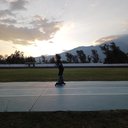
For the last 4 weeks, I've spend most of my weekends exploring my new cellphone. I bought after a lot of consideration and quite a bit of research, and I'm very happy with it. My main motivation was to get a better camera. I'm not in a place yet that I would spend several hundred dollars on a good digital camera, as I first have to learn a lot about how to take pictures and make it worth it.

A cellphone on the other hand is a very practical tool, and after my old one was succumbing to the ever-(d)evolving updates and amount of power necessary, plus the camera glass shattered, I decided it was time to get a new one. And to make the most of it.
Why?
Because I spent 450€. That's a lot for me. With the protection and all, around 500€. For an efficiency nerd like me, that means that I have to get really into it, all the functions, all the possibilites to:
- save me time
- save me money
- bring me joy
Since this post got too long, I took the time to create an itinerary - @bravetofu, I still go back to our conversation on X each time I do this. Thanks again for explaining!
1. The Options
2. The Bad
Round Screen
Finding Gadgets
Bloatware (detailed)
Slippery Handling
Screen Durability
Slots
3. The Good
The Camera (detailed)
Performance
Apps
Transfer
Sound
Connections
Conclusion
1. The Options
I focused on camera and good specs. I had three options in mind: Xiaomi 15T Pro, which has an incredible Leica camera and very good specs. The Google 10, also a great camera. And the Motorola Edge 60 Pro.
Xiamoi: Very good specs and price, but I have a Redmi 10 now and the bloatware is just too much, limiting the cellphones capacities. 50x optical zoom! OPTICAL! Not digital! Me wanted, but the bloatware did go on my nerves to much with the other one.
Google: No bloatware, since all their own apps are what I use a lot. But for 1000€, it was way over the top for me. Ecuador is not particularly know for being free of pick-pockets or robbers. The camera was, according to reviews, very similar to the Xiaomi, and their AI-supported auto-mode in the camera app was said to be impressive. Still, too expensive.
Motorola: Gosh, it's Motorola, aren't they like the worst? Apparently not. The camera only offers a 3x opical zoom, but the specs of the Edge Pro were pretty good. And the price was within my range of pain. The reviews were all "good", not as great as the Xiaomi for a similar price. There are Samsungs, too, but the bloatware problem is the same.
Motorola it was. A good decision. Here are the specs.
2. The Bad
Round Screen
Let's start with that first. One thing I immediately noticed and didn't like is the screen going over the edges, rounded up. I never liked that, and never understood the perks of it, besides giving less protection. To mitigate that, I bought a nice protection cover that allows me to close the cellphone.
The rest of the screen is awesome. The colors are impressive, the clearness, everything about it I love.
Finding Gadgets
Finding the right gadgets for this phone wasn't easy. I prefer shopping local, but nobody had anything of Motorola in storage. No wonders, it seems like their phones were really bad for a long time. At the Telekom shop they told me though that Motorola-Cellphones were being re-integrated, but not that model. So I had to go via Amazon, no biggie. I have stock in Amazon.
Bloatware
Yes, it's always bad. Most of the time it's completely useless. But in comparison to Redmi/Xiaomi and their 1000 bloat apps, Motorola has 10 bigger ones. And some of them are actually useful.
Dolby Atmos
Here one can adjust the sound to what one likes. The standard is way too saturated in the highs, so I turned it into a more base-heavy speaker setting. Very easy and intuitive.
Moto
The go-to-App to set up the phone. After that, you can ignore it. You can dabble with your starting screen, add individual looks, (de)activate gesture control, set up security, get tips and tricks for first steps and adjust the display.
The Rest
Family Space to manage the kids cellphone time. Not necessary, she ain't got any. Feedback, Help about the Device, interactive backgrounds, Moto Secure (also accesible through the main Moto), Moto Unplugged to manage when the cellphone deactivates and leaves you in peace or something like that. I'm disciplined with that, so I never configured the app. Moto AI is redundant as the cellphone has Gemini. Notes is redundant for most people. Notifications, too. And so on.
I deactivated a lot of them to see if I miss them. If not, I will see if I can remove them without destroying the inner workings of the phone.
If you want to remove bloatware from your android cellphone, search around for "adb tool", Android Debugging Bridge. You need that on your laptop, and the little free app "Package Viewer". There are many tutorials on how to get it out. Disclaimer - Xiaomi/Redmi re-install all those apps with pleasure. Gotta do it every year...
Slippery Handling
Without the gadgets I bought, the phone is extremely slippery. It fell out of my hand like 3 times the first day, which isn't cool.
Screen Durability
While it's IP68, which is great for me, the screen didn't hold well. I already got some scratches in the first days (slippery!), nothing major, but I'd expect more on that side. That was before I found the protection foil.
Slots
Only one nano-SIM. When I had researched, it said there was a Mini-SD slot, but I haven't found it yet. Nothing critical, everything is moving towards eSIM anyway, and I only need it when in Germany.
3. The Good
The Camera
Oh. My. Frequency. I'm in love with it. Both the app as well as the tech. I tried to compete with the app by using my poor skills in ISO, shutter time and such, but the app just laughed at me. Fair enough.
You might have noticed that my photographs improved a lot over the last 4 weeks. That I even make photography posts. I don't edit them, it's just how the camera spits them out. Here are a few examples:


Zoom
The optical zoom, something that I was looking for, is "only" 3x, but that also shows a lot. Here's a comparison with regular and 3x:


As you can see, the zoom allows me to cut out many of the parts of any Ecuadorian city that bother me - the myriads of cables hanging everywhere. The ugly, unfinished buildings. Now, does it impact the quality of the picture? I zoomed into both of them with my regular Windows Photo app on the laptop, using 300%, and took a screenshot:


There seems to be at least some difference. The one without zoom is 4096x3072 pixel, and the 3x is 3648x2773. I had expected it to stay the same with an optical zoom - maybe someone with more experience knows the answer?
Besides that, the result is impressive. I suspect that +100% on P2 should be more or less the same as a +300% on P1. Correct me if I'm wrong. But if so, the resolution in P2 is really a lot better, despite the fewer pixels.
Performance
Fast. Very fast. Everything opens quickly, and the processing time is quick. I have 512Gb of space, so that will help, and it's new. But I'm now able to install so many more apps that I formerly only used on the laptop, like Discord.
Apps
Motorola does not include their own Galery, which I like. It's directly to Google Photos, which is good for me as I use that to download the pictures at the laptop. And that way, I can manage the library of both GP and the cellphone at the same time, deleting what I need.
Little Apps & Features
The screen recorder works very nicely. I did a test yesterday, a tutorial for onboards. I found it worked great.
Want to open the camera quickly? Spin your hand two times.
Flashlight? Hacking movement, two times.
And a lot more like that which will be useful when I learn how to use them correctly.
Transfer
I transfered all my Apps directly onto the new phone. Have it close, turn on Bluetooth on both, and off it goes. Worked without any problems. Unfortunately, my passwords and such were not transferred - which isn't that bad, thinking about security. I just have to punch them in again now, and I have a lot of secure ones...
And thank the frequency that it did not copy the Redmi Bloatware. Quite the smart transfer tool.
Sound
I hated it in the beginning. Then I found the Dolby app and how to use it. very happy now, great sound. Could be a bit louder, but honestly, that's what I have BT speakers for.
Connections
Talking about Bluetooth, it connects very easily and fast to every device. With the Redmi, I always had to turn BT on and off several times, change the WLAN and such. The Edge does that automatically and a lot more intelligently than the Redmi.
The Conclusion
This phone already brought me a lot of happiness just by being able to take such beautiful pictures while not quite knowing what I'm doing. Okay, Nature has her hand in that, too, of course, creating spectacular motives. But still.
The little tools and apps are already helping with saving time, so does the fast processing of everything - no long waiting times for Spotify or WhatsApp to open.
It's also making me more money as I can now have more apps installed and therefor don't have to get back to the laptop all the time, being able to respond quicker to problems and other eventualities that come up.
So, overall, it's absolutely worth it for me. But I'm neither a tech geek nor an expert in any of this. Still, I wanted to leave my experience as some people had asked for it. I hope it helped in your decision making!
Bloody excellent! Good photos and I'm glad you're satisfied with your purchase. Now you've set the standard for your photos...no bad ones permitted from here.
I have curangeled one of your posts recently so cannot do another just yet (there's rules) but I asked my brother to do it and he has. So, just letting you know.
Thank you for the compliment! And the upvote from both you and your brother! Let me know if there's anything I let out that you'd like to know.
And yes, I'll be careful choosing the pictures from now on. But I took so many in Germany, I think I'm set for a year. I might use some of the photo post pictures for different posts as well, so that adds some more to it. Still, always following your brother's approach to not repeat the main picture that shows in the feed. But given how much fun it is, I might not even repeat any. We'll see :-)
I'm sure you have heaps and will enjoy getting more photos. I'll be watching. 👀